Seller Profit Check · preview report

We store no information on our server

The Allegro report is opened and calculated only on your computer. We do not send it to us or to anyone else. When you close the page, everything disappears.

Andrzej Kierski

Digital services

Get in touch+48 570 700 085

+48 570 700 085
andrzej@kamai.pl

  • The file stays with you. You do not need to create an account or log in.
  • This is a preview report. Commissions and costs are estimates, they show the order of magnitude.
  • Want it on your side? We will set up such an app on your server, connected to Allegro through the API.

Allegro profitability calculator

Upload the report from Allegro Analytics and see the profit of every listing after commission, delivery and advertising.

We store no information on our server. The file is opened and calculated only on your computer. We do not send it to us, and the result disappears when you close the page.

Don’t have a report right now?

How to download the report from Allegro

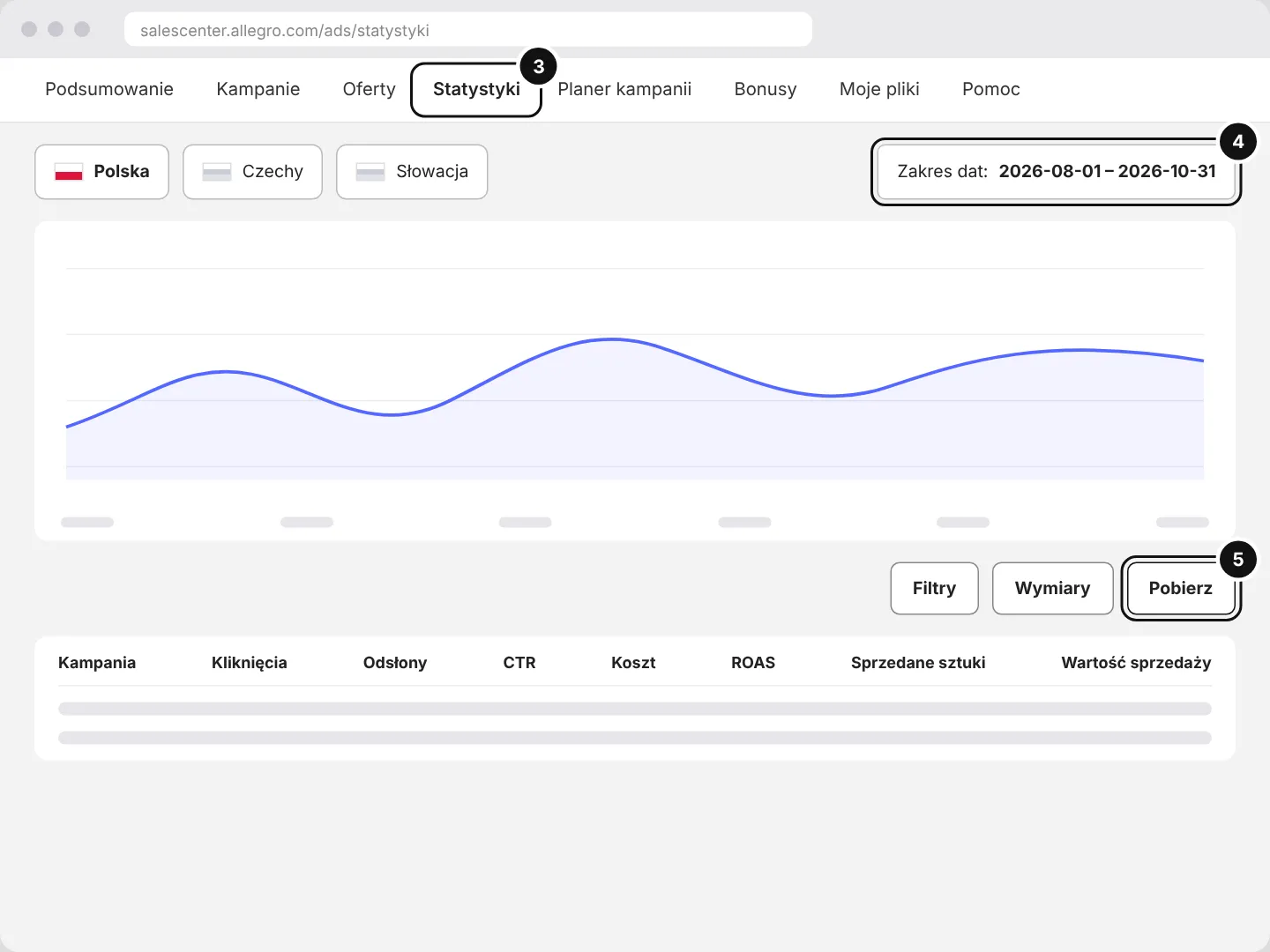
Two files, both from Sales Center. The first is enough. The second adds the advertising cost.

Step 1of 5

Sprzedaż według ofert (Sales by listing)

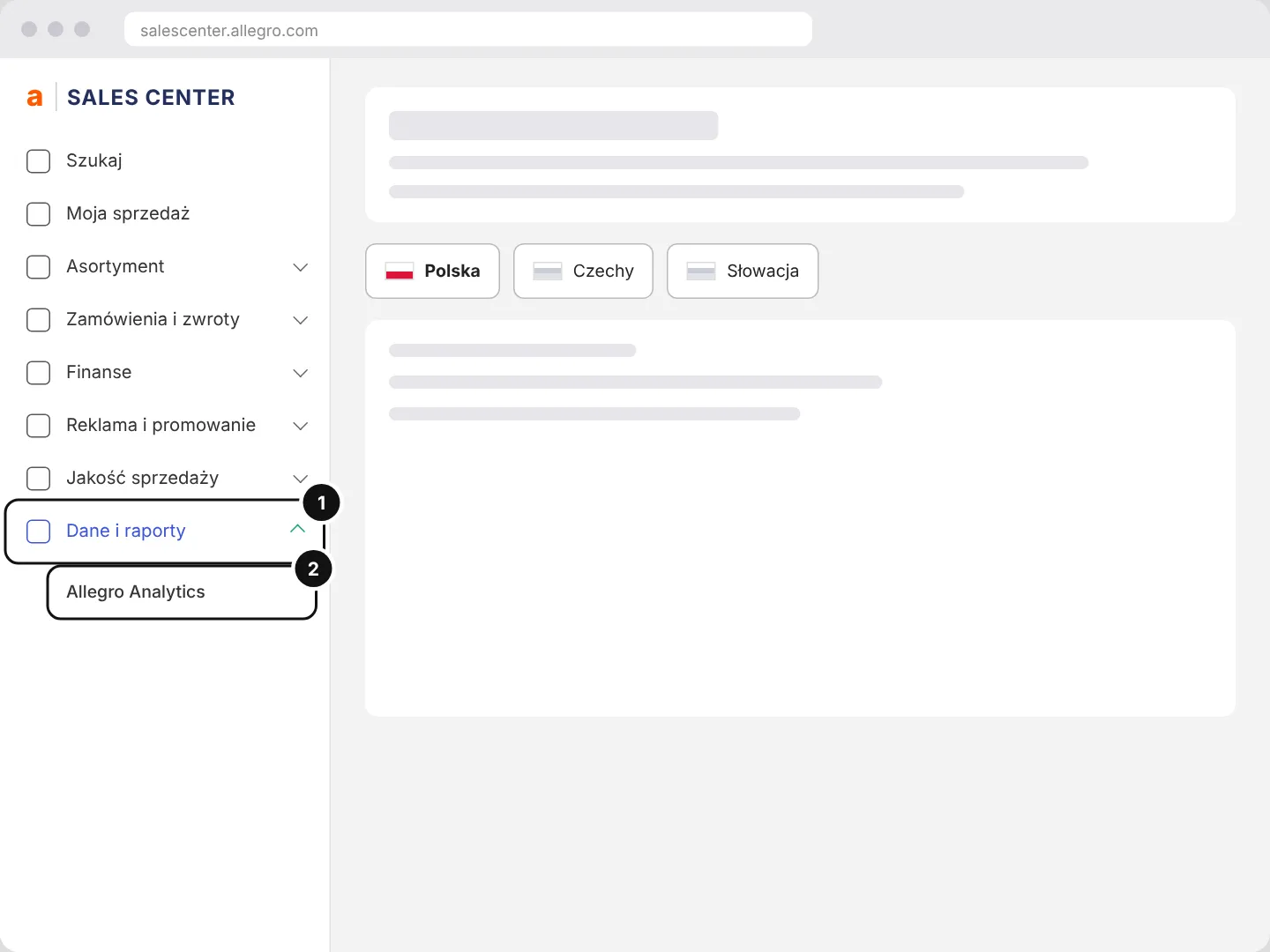
In Sales Center open Dane i raporty (Data and reports) and click Allegro Analytics.

Illustration: the Sales Center menu: Dane i raporty (Data and reports), Allegro Analytics

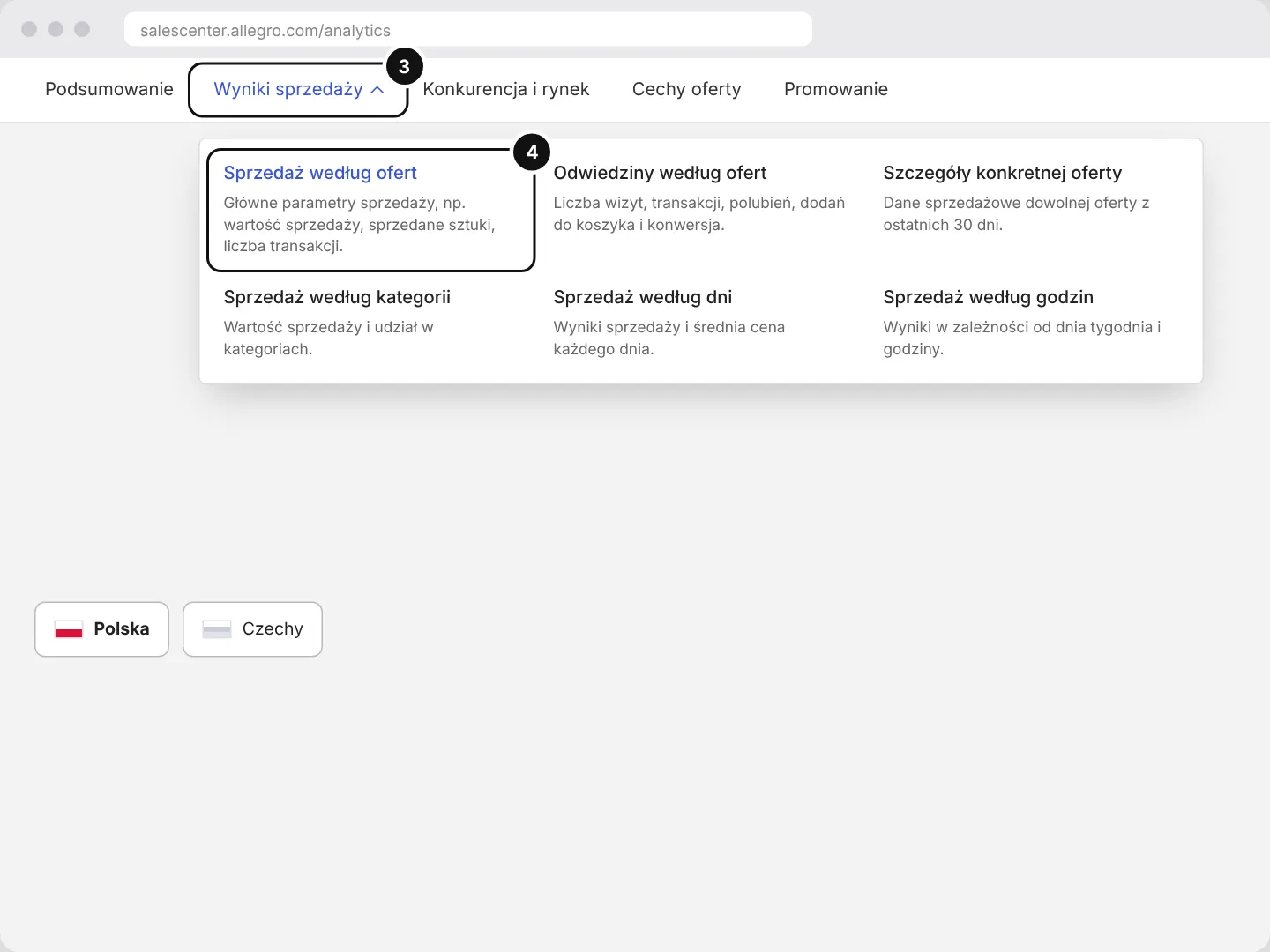
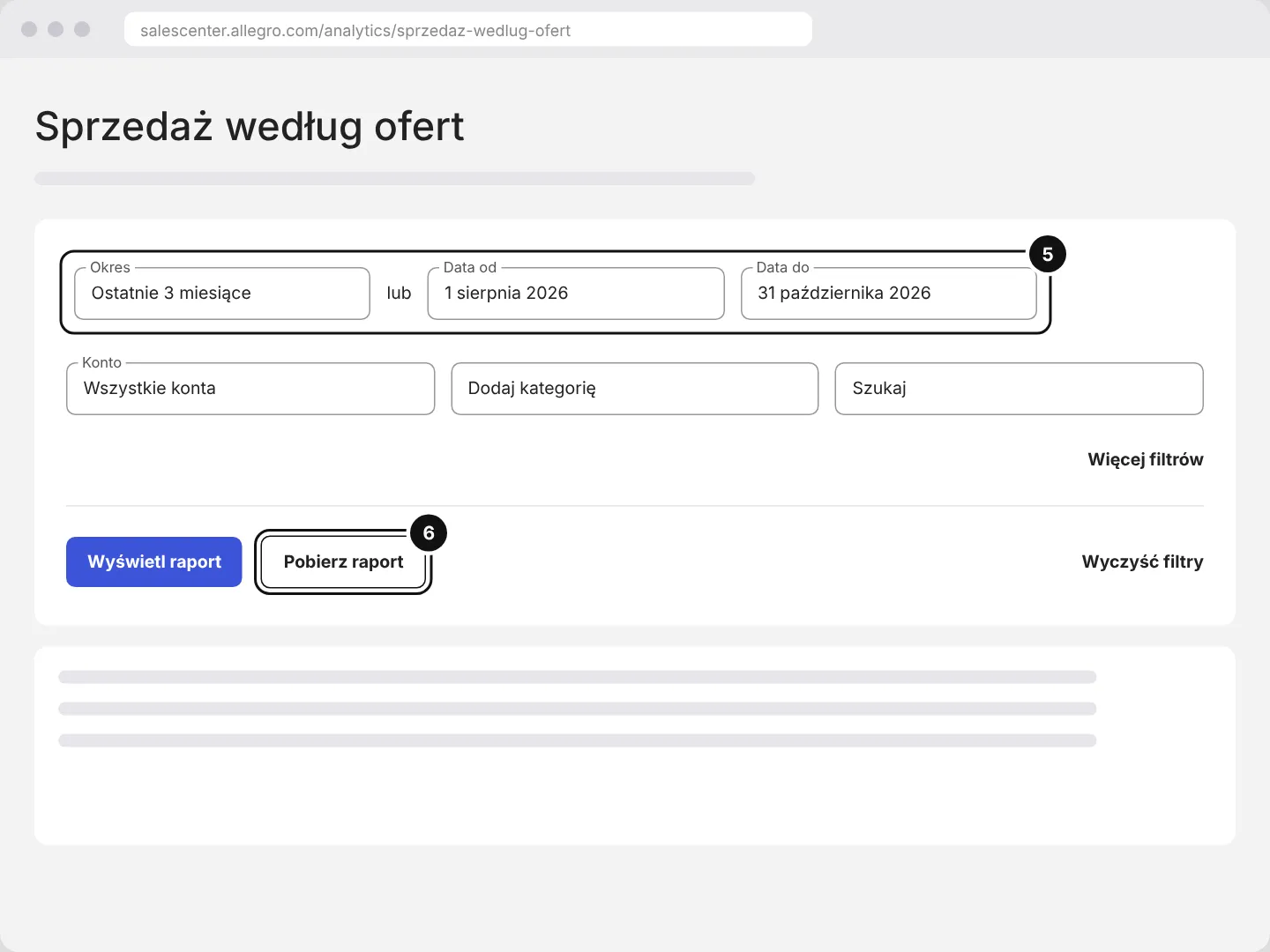
The path in short: Allegro › Dane i raporty › Allegro Analytics › Wyniki sprzedaży › Sprzedaż według ofert › date range › Pobierz raport.

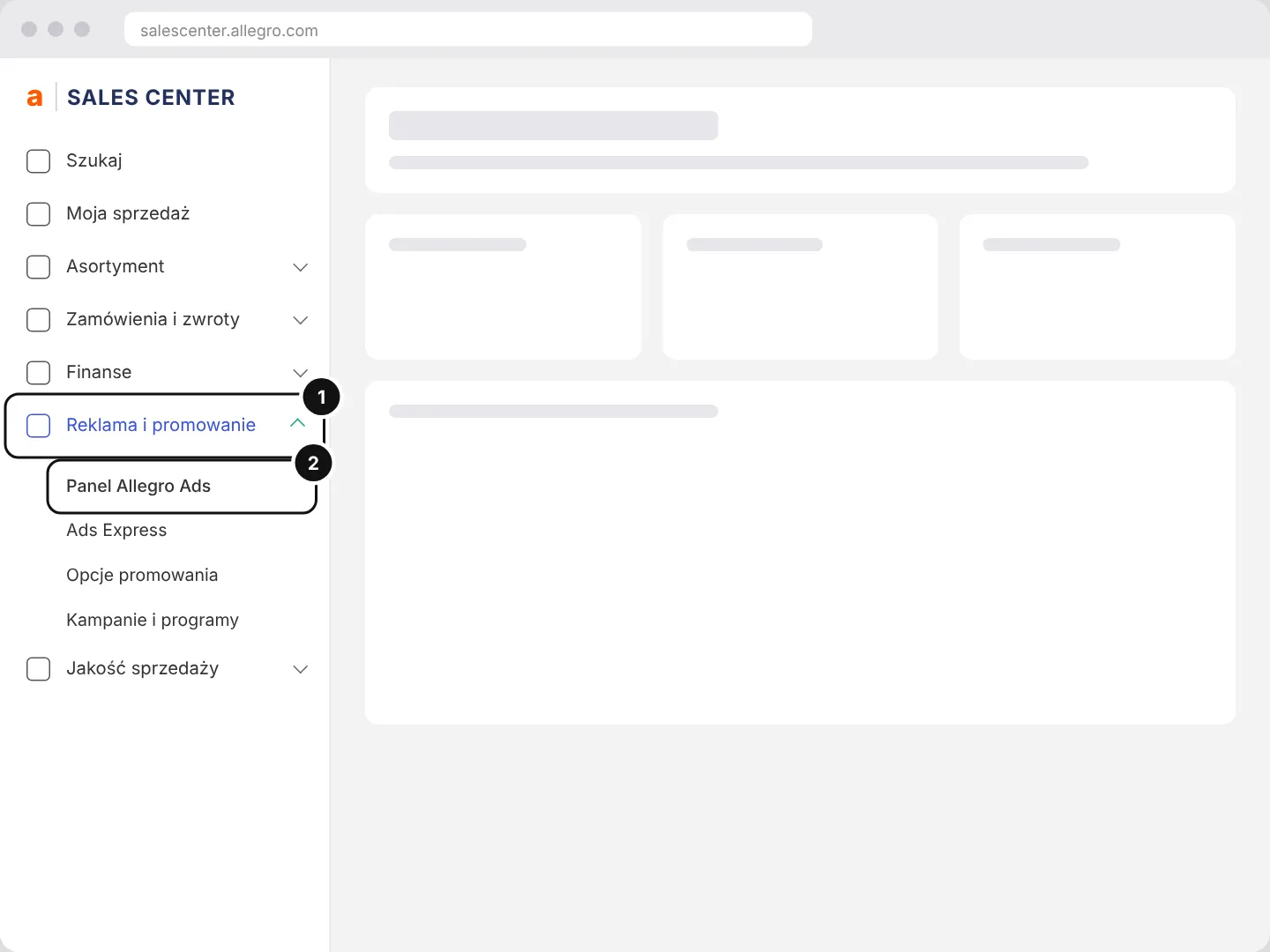
The illustrations show the Allegro Sales Center panel in a simplified form, with no data.

Result

How to read the result

  1. Profit and margin on every listing

    After commission, Smart surcharge, cost of goods, returns and advertising.

  2. Listings in red

    They sell, but after costs you are left with a loss.

  3. Hidden gems

    High conversion with little traffic. These are the first listings to advertise.

  4. The ROAS threshold

    A campaign above the threshold earns, below it costs you money.

  5. A preview report

    Commissions are typical rates from the Allegro price list. You can change them in the settings.

Questions

Frequently asked questions

Don’t see your question? Write to us

Is my data stored anywhere?

No. The report is calculated only on your computer. When you close the page the result disappears. You can save it as a PDF.

Where do you get commissions and delivery costs?

From typical rates for category groups in the Allegro price list. We calculate Smart surcharges by order value tiers. The real fees from your account are shown by Seller Profit connected to Allegro through the API.

How do I add purchase prices?

Download the costs template (CSV) from the settings panel. Enter the gross purchase cost per unit and upload the file. Without it we calculate the cost of goods as a percentage of the price.

Does it work with the Allegro Ads report?

Yes. Upload the “statystyki_kampanie” file from Statystyki in Panel Allegro Ads. We show the ROAS, the break-even threshold and the profit after ads of each campaign.

How do you know if a campaign pays off?

We calculate the listing’s profit before ads: after cost of goods, commission, delivery and returns. The ROAS threshold is the sales per PLN 1 of advertising at which advertising eats that profit.

Online sales

Selling on Allegro

We run your Allegro account. We build every listing from the model listing.

Want an extended report?

We prepare a report with the real fees from your account, the price and the Allegro Ads budget after a consultation. Leave your email.

Andrzej Kierski

Best regards,
Andrzej Kierski

Digital services

+48 570 700 085
andrzej@kamai.pl

An EU market plan for Chinese manufacturers

Warehousing in Poland, supply to retail chains, European marketplaces. Your goods stay inside the EU and an EU company sells them.

中文版本 →

See the offer